

Looking for the Best Free AI Mind Mapping Tools?
Struggling to organise scattered ideas, brainstorm new concepts or turn complex information into a clear visual structure? AI mind mapping tools can help you transform simple text prompts, documents, PDFs and research materials into structured mind maps within minutes.
The good news is that you do not need expensive software to get started. Several AI mind mapping websites offer free plans that allow users to generate ideas, visualise information, organise projects and collaborate with others.
But which free AI mind mapping tool is the best? Whether you are a student, educator, entrepreneur, marketer or business professional, choosing the right platform depends on its AI generation capabilities, collaboration features, export options and free-plan limitations.
In this guide, we explore the 10 best free AI mind map websites in 2027, comparing their features, benefits and ideal use cases to help you find the right tool.
Top 10 Free AI Mind Map Websites in 2027
The best free AI mind mapping websites in 2027 include MindMap AI, Mapify, GitMind, Xmind, Whimsical, Miro, Taskade, EdrawMind, MindMeister and Mindomo.
These platforms help users generate mind maps from text prompts, summarise research, organise information, develop business strategies and facilitate collaborative brainstorming.
Here is a quick overview of the recommended platforms:
Quick recommendation:
- Best for AI brainstorming: MindMap AI
- Best for converting research into mind maps: Mapify
- Best for team collaboration: Miro
- Best for course and lesson planning: EdrawMind
- Best for professional mind map layouts: Xmind
Note: These platforms offer free or freemium access rather than necessarily unlimited free AI generation. AI credits, diagram limits, exports and collaboration permissions may change. Always check the provider’s current pricing page before signing up.
What Is an AI Mind Mapping Tool?
An AI mind mapping tool is a digital application that uses artificial intelligence to generate, organise and visualise information in a connected, branching structure.
Traditional mind mapping requires users to manually create a central topic and add related ideas, subtopics and supporting information. AI mind mapping software automates parts of this process by interpreting text prompts, documents, research materials or uploaded files and converting them into visual diagrams.
For example, a user can enter the prompt “Create a digital marketing strategy for a small business” and an AI mind mapping tool may generate branches covering:
- Target audience
- Marketing objectives
- Social media platforms
- Content strategy
- Advertising budget
- Lead generation
- Performance measurement
This makes AI mind mapping particularly useful for people who need to organise large amounts of information quickly.
Unlike conventional mind mapping software, AI-powered platforms can also help expand ideas, summarise complex topics, identify related concepts and suggest additional branches.
Benefits: Why Use AI Mind Mapping Software?
AI mind mapping software offers several advantages for individuals, educators, businesses and collaborative teams.
1. Generate Ideas Faster
AI can transform a simple prompt into a structured mind map, reducing the time needed to brainstorm and organise ideas manually.
Instead of starting with a blank page, users can generate an initial framework and refine it according to their requirements.
2. Organise Complex Information
Mind maps make it easier to understand relationships between topics, subtopics and supporting information.
AI-powered tools can help break down complex subjects into smaller sections, making information easier to review and understand.
3. Improve Brainstorming and Creativity
AI can suggest additional ideas, related topics and alternative approaches that users may not have considered.
This is useful when developing marketing campaigns, business strategies, content calendars or project proposals.
4. Save Time on Research and Summarisation
Some AI mind mapping platforms can convert lengthy documents, PDFs, online articles and YouTube videos into visual summaries.
Rather than manually extracting every important point, users can start with an AI-generated overview and explore the relevant branches.
5. Support Team Collaboration
Collaborative mind mapping platforms allow multiple users to contribute ideas, add comments and organise information in a shared workspace.
This is particularly useful for brainstorming meetings, team planning, workshops and training sessions.
6. Improve Learning and Knowledge Retention
Visual representations help learners understand how different concepts are connected.
Teachers and trainers can use mind maps to organise lesson content, explain complex subjects and develop learning activities.
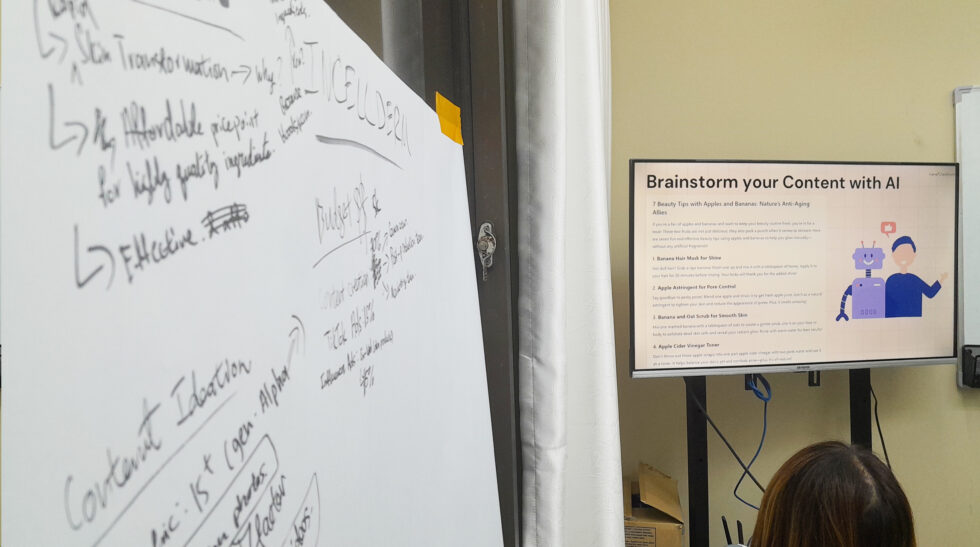
10 Best Free AI Mind Map Websites in 2027
The following platforms offer different approaches to AI-assisted mind mapping. Some focus on generating ideas, while others specialise in research summarisation, project management or team collaboration.
1. MindMap AI – Best for AI-Powered Brainstorming
MindMap AI is an AI-powered mind mapping platform designed to help users generate, expand and organise ideas through visual diagrams.
Key features:
- Generate mind maps from text prompts.
- Expand existing branches using AI.
- Organise ideas into connected topics.
- Edit and customise mind map structures.
- Support brainstorming and knowledge organisation.
Free plan: Offers limited AI credits, with the published plan and allowance subject to change.
Best for: Entrepreneurs, content creators, marketers and individuals who want to turn rough ideas into structured mind maps.
2. Mapify – Best for Converting Documents and Videos into Mind Maps
Mapify focuses on converting information from different sources into visual mind maps. It is particularly useful for people who regularly work with research materials, educational videos and lengthy documents.
Key features:
- Convert YouTube videos into mind maps.
- Summarise PDFs and documents.
- Transform online content into visual structures.
- Organise research into connected topics.
- Support information discovery and learning.
Free plan: Offers limited free AI credits.
Best for: Students, researchers, educators and professionals who want to summarise large amounts of information efficiently.
3. GitMind – Best for Beginners
GitMind is an online mind mapping and diagramming platform with AI-assisted features. Its interface supports users who want to generate and organise ideas without having to learn complicated diagramming software.
Key features:
- AI-generated mind maps.
- Mind map templates.
- Collaborative editing.
- Visual brainstorming.
- Diagram and concept organisation.
Free plan: Available with limitations on AI usage and other features.
Best for: Beginners, students and individuals looking for an accessible mind mapping platform.
4. Xmind – Best for Professional Mind Map Layouts
Xmind is a mind mapping and visual thinking application that supports structured brainstorming, planning and information organisation.
It provides multiple diagram layouts, making it useful for people who need to present information in a professional and organised format.
Key features:
- AI-assisted brainstorming.
- Multiple mind map structures.
- Logic charts and organisational diagrams.
- Topic and subtopic organisation.
- Presentation-friendly layouts.
Free plan: Offers free access with limitations on selected features and AI usage.
Best for: Business professionals, project managers and individuals who need structured visual planning.
5. Whimsical – Best for Visual Thinking and Diagrams
Whimsical is a visual workspace that combines mind maps, flowcharts, wireframes and other diagrams.
Its AI capabilities help users turn written descriptions into visual structures, making it useful for organising ideas and explaining processes.
Key features:
- AI-generated mind maps.
- Flowcharts and diagrams.
- Visual project planning.
- Collaborative workspaces.
- Simple drag-and-drop editing.
Free plan: Offers limited free workspace and AI capabilities.
Best for: Designers, product teams, marketers and professionals who prefer visual brainstorming.
6. Miro – Best for Team Brainstorming and Collaboration
Miro is an online collaborative whiteboard platform with AI-powered features for brainstorming, mind mapping and visual project planning.
It is particularly useful when several people need to contribute ideas within the same workspace.
Key features:
- AI-powered brainstorming.
- Mind maps and flowcharts.
- Digital sticky notes.
- Real-time collaboration.
- Shared team whiteboards.
Free plan: The Free plan has limitations, including three editable boards at a time under its published offering.
Best for: Businesses, creative agencies, educators and teams conducting brainstorming sessions.
7. Taskade – Best for Turning Ideas into Actionable Tasks
Taskade combines AI-powered productivity tools, mind mapping and project management in one platform.
Unlike standalone mind mapping applications, Taskade allows users to move from brainstorming to organising tasks and managing projects.
Key features:
- AI-generated mind maps.
- Project planning.
- Task management.
- Collaborative workspaces.
- AI-assisted workflow organisation.
Free plan: Offers free access with feature and usage limitations.
Best for: Entrepreneurs, freelancers and teams who want to convert ideas into actionable project plans.
8. EdrawMind – Best for Education and Lesson Planning
EdrawMind is a mind mapping and brainstorming application with AI-assisted features for organising information and developing structured diagrams.
It is particularly relevant to educators and trainers who need to break down learning materials into visual frameworks.
Key features:
- AI-assisted mind map generation.
- Mind map templates.
- Concept mapping.
- Presentation and diagram features.
- Structured information organisation.
Free plan: Provides limited free access and selected feature restrictions.
Best for: Teachers, trainers, students and professionals developing structured learning materials.
9. MindMeister – Best for Collaborative Mind Mapping
MindMeister is an online mind mapping platform designed to help individuals and teams visualise ideas and collaborate on shared diagrams.
Its strength is its focus on collaborative mind mapping and organising information in a central visual workspace.
Key features:
- Online mind map creation.
- Collaborative editing.
- Visual brainstorming.
- Topic and subtopic organisation.
- Presentation and sharing capabilities.
Free plan: The Basic plan has a limit of three mind maps.
Best for: Students, small teams and individuals who want to organise ideas collaboratively.
10. Mindomo – Best for Education and Concept Mapping
Mindomo is an online mind mapping and concept mapping platform that supports visual learning, brainstorming and information organisation.
It is useful for creating structured learning materials and connecting different concepts within a subject.
Key features:
- AI-assisted mind mapping.
- Concept maps.
- Visual learning structures.
- Presentation features.
- Collaborative diagram creation.
Free plan: Offers limited free diagrams and selected feature restrictions.
Best for: Educators, students and trainers who need to organise educational content visually.
Frequently Asked Questions About Free AI Mind Mapping Websites
1. What is the best free AI mind mapping website in 2027?
MindMap AI is a strong option for AI-powered brainstorming and idea generation. Mapify is particularly useful for converting documents, PDFs and YouTube videos into mind maps. Miro is a better choice for collaborative brainstorming.
The best platform ultimately depends on whether the user prioritises AI generation, research summarisation, professional diagrams or teamwork.
2. Are there completely free AI mind mapping tools?
Yes. Several mind mapping platforms provide free plans or limited free access. However, most AI-powered tools operate on a freemium model, meaning users may encounter restrictions on AI credits, the number of diagrams, storage, exports or collaboration features.
Users should distinguish between free mind mapping software and free AI mind mapping features. A platform may allow unlimited manual mind mapping but restrict AI-generated diagrams.
3. How do I create a mind map using AI?
Creating an AI-generated mind map generally involves five steps:
- Choose an AI mind mapping platform.
- Enter a central topic or detailed text prompt.
- Allow the AI to generate the initial mind map.
- Review and expand the suggested branches.
- Edit, organise and export or share the final mind map.
For example, entering “Create a social media marketing strategy for a Singapore SME” can generate branches covering content planning, target audiences, platform selection, advertising, budgeting and performance tracking.
4. Which AI mind mapping tool is best for students?
Mapify, GitMind, Xmind and Mindomo are worth considering.
Mapify is useful for summarising educational videos and documents, while GitMind and Xmind support visual organisation of learning materials. Mindomo is another option for concept mapping and educational diagrams.
5. Which AI mind mapping tool is best for business collaboration?
Miro is one of the strongest options for team brainstorming because it combines mind mapping, digital whiteboards, sticky notes and collaborative workflows.
Whimsical is another alternative for teams that want a simpler visual workspace.
6. Can AI mind mapping tools convert PDFs into mind maps?
Yes. Some platforms, particularly Mapify, support converting PDF documents into visual mind maps.
Depending on the platform and subscription, users may also be able to process videos, online articles and other documents.
7. Can AI mind maps be exported into PDF or images?
Many mind mapping applications support exporting or sharing diagrams. However, available formats and export permissions depend on the platform and subscription tier.
Before selecting a tool, check whether its free plan supports PDF, PNG, SVG or other formats required for your workflow.
8. What is the difference between AI mind mapping and traditional mind mapping?
Traditional mind mapping requires users to manually create branches, topics and supporting information.
AI mind mapping uses artificial intelligence to generate an initial structure, suggest related concepts, expand ideas and sometimes summarise information from external sources.
Both approaches can be useful. AI speeds up the initial process, while human editing ensures the final mind map is accurate, relevant and logically organised.
9. Can multiple users work on the same AI mind map?
Yes. Platforms such as Miro, Whimsical, GitMind and MindMeister offer collaborative features, although the number of collaborators and available permissions may depend on the subscription plan.
For group brainstorming, check whether the platform supports real-time editing, comments, sharing links and access permissions.
10. How do I choose the right AI mind mapping website?
Consider five important factors:
- AI capabilities: Can it generate, expand and summarise ideas?
- Free-plan limitations: How many AI credits and diagrams are available?
- Collaboration: Can multiple users edit the same mind map?
- Export options: Can you download or share your work?
- Ease of use: Can you create and edit diagrams without a steep learning curve?
The best choice is the platform that meets your workflow requirements without requiring an expensive subscription for essential features.

Which Free AI Mind Mapping Tool Should You Choose?
AI mind mapping websites make it easier to brainstorm ideas, organise information, summarise research and develop structured plans.
For general brainstorming, MindMap AI is a good starting point. Mapify is particularly useful for converting research materials into visual summaries, while Miro is suitable for collaborative team discussions. For education and structured lesson planning, EdrawMind and Xmind are worth exploring.
Ultimately, the best free AI mind mapping website depends on how you intend to use it. Start with the free plan, test its AI generation capabilities and evaluate whether its collaboration and export features meet your needs before upgrading.
Our recommendation: Try two or three platforms using the same prompt and compare the quality of their generated mind maps. This is a practical way to identify which AI tool produces the clearest structure and most relevant ideas for your workflow.
With the right AI mind mapping tool, turning scattered thoughts into actionable ideas becomes a much more manageable process.